Star Trek Fleet Command Beginner Guide 2026: How to Start Playing on PC
How Star Trek Fleet Command works, how to start it on a Windows or Mac PC, what to prioritise in your first weeks, how ships, officers, combat and alliances fit together, and the mistakes that stall new commanders.
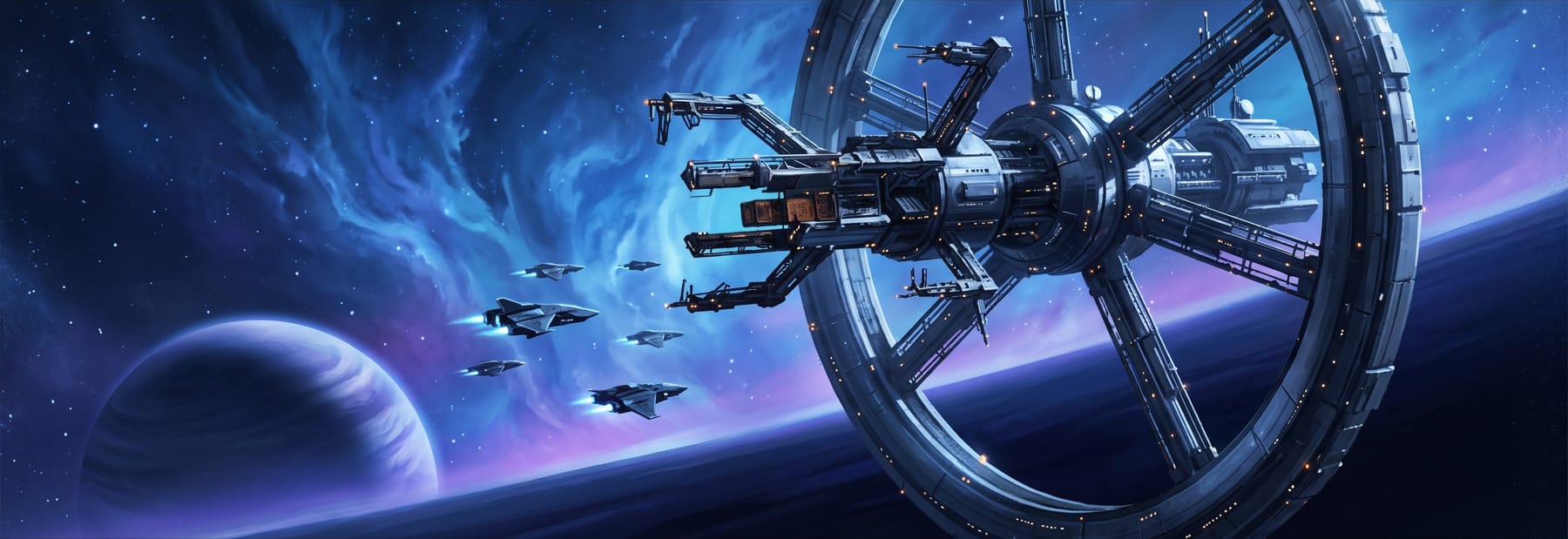
Star Trek Fleet Command (STFC) is a strategy MMO that asks you to run a corner of the galaxy rather than a single starship: you build a station, construct and crew a fleet, mine and refine resources, take missions across a shared universe and, eventually, fight and cooperate with thousands of other players. It has been running since 2018, it is free to start, and its PC client makes it a natural fit for anyone who prefers a large screen and a keyboard for a game built on planning. This guide is for people considering starting on PC and for new commanders in their first weeks. It explains how the game works, what to do first, how ships, officers, combat and alliances fit together, the mistakes that stall beginners, and an honest view of whether it is worth your time in 2026. Every fact here comes from Scopely's own documentation, and where the official material runs out we say so.
What Is Star Trek Fleet Command?
STFC is a free-to-play 4X strategy MMO developed by Digit Game Studios, a Scopely studio in Dublin, and published by Scopely with CBS Interactive. It released on mobile on 29 November 2018 and on PC on 21 September 2021.
Players begin with a space station and one starship, then explore star systems, build ships, mine resources, level up, complete missions, join alliances and battle other players. Combat is resolved by turn-based calculation but shown in real time, and collectible officers from across the Star Trek franchises are seated on ships for RPG-style bonuses.
The franchise scope has grown from the Kelvin-timeline films to include Discovery, The Original Series, The Next Generation, Lower Decks, Strange New Worlds, Deep Space Nine and Enterprise.
The loop, in plain terms: your station produces and stores resources and unlocks what you can build; your ships go out to mine, fight and complete missions; officers make those ships better at specific jobs; research improves everything; and the alliance you join turns a solo management game into a shared one. Each part feeds the next, which is why early decisions about where to spend echo for weeks.
Build Your Fleet. Explore the Galaxy.
Start Star Trek Fleet Command on PC and begin building your station, ships and crew.
How to Start Playing Star Trek Fleet Command on PC
The PC version launched on 21 September 2021 as a free download developed by Scopely and DIGIT. Scopely describes 'smooth cross-progression' between devices: an existing mobile player can link their account on PC, and PC and mobile players share the same game through cross-play.
Wikipedia lists the game's platforms as Android, iOS, iPadOS, macOS and Microsoft Windows, so both Windows and Mac desktops are supported.
The path is short. Download the PC client from Scopely's official STFC site; if you are unsure a page is official, start from startrekfleetcommand.com and follow its own download link rather than a search result. Create or link a Scopely account when prompted, then let the tutorial walk you through your first station and ship. If you already play on a phone, link that account and everything carries over.
Scopely publishes the current minimum specifications for Windows and Mac in its Help Center. We have not reproduced them because the page blocks automated verification and requirements change; check it before assuming an older machine will cope. STFC is a strategy game rather than a graphics showcase, so its demands are modest by modern standards.
→ How to know if your PC can run a game: CPU, GPU, RAM and VRAM explained
What Should New Players Focus on First?
Scopely's own guidance for new players is to focus on completing missions to progress, building and upgrading the station, constructing ships and recruiting officers.
That order is not accidental. Missions are the tutorial, the story and the early resource faucet at once, and they steer you toward the buildings and ships the game expects you to have. A sensible first week looks like this, and there is room to vary it once you understand why each step exists.
- Follow the mission chain. It teaches systems in the order you need them and pays for the early upgrades.
- Upgrade Operations first, then whatever the next Operations level requires. Everything else waits on it.
- Learn where each resource comes from before you need a lot of it: mining, missions, daily goals and events.
- Build a vault early and keep it upgraded, so a raid cannot take what you were saving.
- Learn the ship types and the combat triangle on hostiles before you meet other players.
- Read every officer ability you own and seat a deliberate bridge crew.
- Join an alliance once you are settled; the game is designed around them.
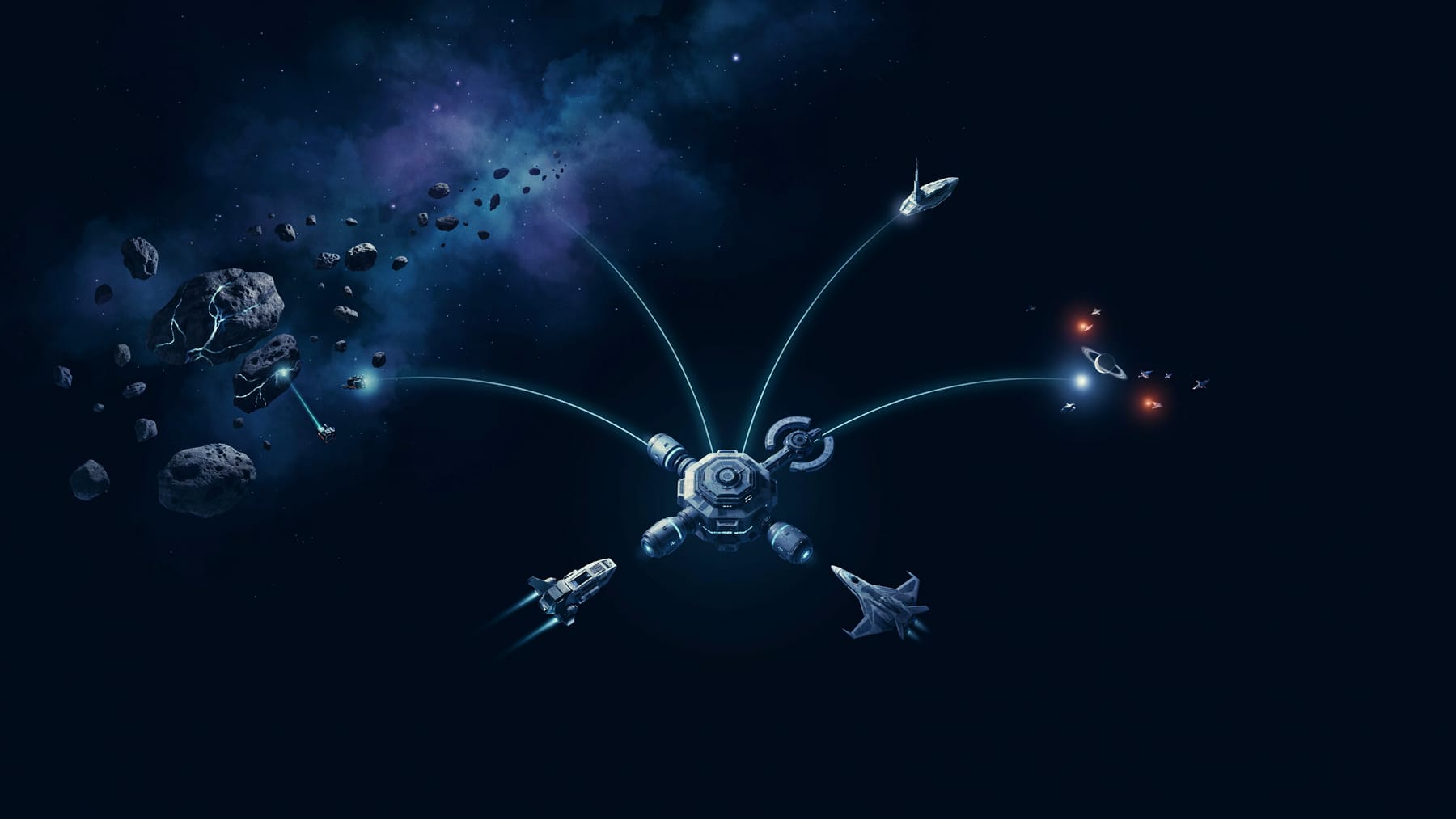
On the station itself, Operations is the command centre: upgrading it increases your player level, unlocks additional buildings and raises your weapon damage bonus. The Academy houses officers not assigned to ships; the R&D Department researches offensive and defensive bonuses. Warehouses set capacity for Parsteel, Tritanium and Dilithium, generators create resources over time, and vaults protect part of your stock from raids.
Each drydock holds at most one ship, and upgrading drydocks speeds repairs and lowers their cost. Defense Platforms are the station's first line of defence. Peace Shields stop attacks on the station: a free ten-minute shield activates after the first attack on you, once every two hours.
Do not spread early resources across every building that lights up. Operations gates the rest, the vault protects what you cannot yet defend, and the drydock's single slot decides how many ships you can actually field. Those three deserve your first credits of Parsteel and Tritanium; the rest can wait for the missions that call for them.
Ships: What Beginners Need to Understand
There are four ship types. Interceptors, Explorers and Battleships are combat classes; Survey ships gather resources and, in Scopely's words, can fight but 'will not be particularly good at it'. The advantage triangle is fixed: Interceptors beat Battleships, Battleships beat Explorers and Explorers beat Interceptors, in both PvE and PvP.
The Orion Corvette is the second ship you unlock, after finishing the second research node of the combat tree.
Three things follow for a beginner. First, roles are strict: a survey ship is for mining, and sending it to fight is how new players lose it. Second, the triangle means there is no single best combat ship, only the right ship for what you are facing; keep more than one type as soon as drydocks allow. Third, different activities want different ships, so a small varied fleet beats one expensive flagship early on.
Ships are upgraded with resources refined from raw Crystal, Gas and Ore, and their parts and materials are among the things the refinery produces.
On spending: upgrade the ship you use most, not the ship that looks best. Every tier of upgrade costs more than the last, and refined materials are slow to accumulate. A fully upgraded lower ship that wins its fights is worth more than a half-upgraded higher one that loses them, and repairs cost resources too.
How Officers Work
New officers come from recruit tokens. Every officer contributes Attack, Defense or Health bonuses to a ship, and has two abilities: an Officer Ability that activates when seated on the bridge, and a Captain's Maneuver that activates only from the Captain seat. Ships require at least one officer to function.
To assign officers, recall the ship home, tap Manage, then Assign Officers. Some officers have synergy with others, shown as a yellow lightning bolt, and matching synergy groups boosts the captain's ability. Officers level up with Officer XP and are promoted once you have enough shards of that officer plus the promotion cost in resources.
The beginner error is to seat officers by rarity and forget them. Read the Captain's Maneuver before choosing who sits in the middle chair, because it is the ability that defines what the ship is for; then fill the bridge with officers whose abilities and synergy support that job. A mining crew and a hostile-hunting crew are different crews, and the game rewards changing them for the task. We are deliberately not naming 'best officers': the roster and balance change with updates, and the right crew depends on which officers you actually own.
Combat Basics for New Players
Before a fight, select the target and tap Scan to see your odds based on ship power. Battles last five to ten seconds on average, and the ship with the higher combat power wins.
PvE comes first. Hostiles, the computer-controlled ships in most systems, are the safe place to learn the triangle and to test crews, and missions will send you at them constantly. Scan before every engagement until reading the odds is automatic. If the scan is against you, change the ship, change the crew or pick another target; there is no prize for a brave loss, and repairs cost resources you would rather spend elsewhere.
Player-versus-player raids can cost you resources, and vaults protect only part of your stock. Peace Shields block attacks on the station, and a free ten-minute shield triggers after the first attack, once every two hours.
Treat PvP as something you opt into once you understand it. Early on, the practical goals are to keep your station shielded when you step away, to keep valuables in the vault, and not to park a loaded survey ship where a stronger player will find it. Fights you choose, with a scan in your favour, are how combat becomes fun rather than costly.
Why Alliances Matter
The game includes alliance systems, galaxy-wide chat, alliance chat and private messaging, and Scopely's beginner guidance encourages new players to join alliances and connect through Discord.
Solo, STFC is a competent management game. In an active alliance it becomes a shared one: experienced members explain what the tutorial does not, coordinated players protect one another, and territory and rivalries give the map meaning. The official documentation frames alliances as the intended way to play, and the design agrees. Join one early, pick one that is active in your time zone, and ask questions.
Ready to Start Your Fleet?
Explore the Star Trek universe, build your station and begin your journey on PC.
Common Star Trek Fleet Command Beginner Mistakes
- Upgrading everything at once. Operations gates progress; spread resources and nothing finishes.
- Attacking without scanning. The odds are shown for free; ignoring them costs repairs.
- Using a survey ship as a warship. It is built to mine, and Scopely says as much.
- Seating officers by rarity and never reading their abilities. The Captain's Maneuver defines the ship's job.
- Leaving resources outside the vault. Raids take what is unprotected.
- Spending premium currency on resources you could mine in an afternoon. Latinum is for the timers that genuinely block you later.
- Playing alone. Alliances are where the game's help, protection and depth live.
On that last currency point: Parsteel, Tritanium and Dilithium are mined in space and spent on buildings, research and ships; raw Crystal, Gas and Ore are refined into upgrade materials; and Latinum is the premium currency, described by Scopely as 'the rarest item in the game', which can buy other resources and speed up timers.
Is Star Trek Fleet Command Worth Starting in 2026?
The case for it is real. The franchise breadth is unusual, the loop of station, ships, officers and research has genuine depth, and the alliance layer gives it a social life that management games often lack. It is free to start, the PC client is a first-class way to play a game built on planning, and Scopely is still shipping content at a steady cadence.
The trade-offs are just as real. Wikipedia lists in-app purchases from $4.99 to $99.99, and Latinum buys resources and shorter timers; in a competitive player-versus-player economy, time is power.
Progression lengthens as your account grows: the timers that felt brisk in week one become the game by month three, and the complexity of keeping several ships, crews and research paths in step is a commitment. Money does not unlock content free players cannot reach, but it compresses the wait, and some players around you will have paid to compress it. Our view: it is worth starting for players who like long-horizon strategy, who will join an alliance, and who are comfortable managing a timer economy without paying to skip it. It is not for players who want a narrative Star Trek game or fast, self-contained sessions. Our full editorial review goes deeper.
→ Is Star Trek Fleet Command worth playing in 2026?
What's New in Star Trek Fleet Command in September 2026?
As of 4 September 2026 the current arc is Update 94, 'Cause & Effect', which went live on 20 August 2026. Its headline additions, per the official patch notes, are Bulk Research that lets you select a node before its prerequisite research is complete, two new epic officers, more control over Battle Pass progression through Choice Tokens and Exchanges, new artifacts, new Prime Research nodes, the return of Galactic Anomalies and a 'Protocol Origin' mission series across five timelines.
A mid-arc patch, Update 94.1, followed on 28 August 2026. It reworks the 7-Day Login Streak so that Bulk Claim is available to everyone at Ops 25 and above, rewards a completed streak with a 24-hour Exocomp that increases warp, building and research speed, adds checks against chat spam, improves Bulk Research sorting and Wave Defense spawning, and pauses Alliance Tournaments for the rest of the arc.
For a new player, most of this is background: Bulk Research and the login-streak rework are quality-of-life changes you will benefit from without noticing, and the arc's new officers and artifacts sit well above starting level. The useful takeaway is that the game is actively maintained, with patch notes published on the official site roughly weekly.
→ Star Trek Fleet Command on PC vs mobile: what's different?
→ Star Trek Fleet Command hub: guides and review
→ 15 best free PC games to play in September 2026
Frequently asked questions
Is Star Trek Fleet Command free to play?
Yes. It is free to download and play on PC and mobile, with optional in-app purchases. Latinum, the premium currency, mainly buys resources and shorter timers.
Can I play Star Trek Fleet Command on PC?
Yes. The PC version launched on 21 September 2021 with cross-progression, so one Scopely account works across PC and mobile.
Is Star Trek Fleet Command available on Mac?
Yes. macOS is listed among the game's platforms alongside Windows, iOS, iPadOS and Android.
Is Star Trek Fleet Command difficult for beginners?
The tutorial covers the surface and the missions guide your early priorities. The depth is in ship roles, officer crews and the resource economy, which this guide explains; an alliance shortens the learning curve considerably.
Do I need to know Star Trek to enjoy the game?
No. Fans will recognise the officers and ships drawn from across the franchise, but the game stands as a 4X strategy MMO on its own mechanics.
Is Star Trek Fleet Command multiplayer?
Yes. It is a shared-universe MMO with alliances, galaxy-wide and alliance chat, player-versus-player combat and cross-play between PC and mobile.
Does Star Trek Fleet Command have optional purchases?
Yes. Wikipedia lists in-app purchases from $4.99 to $99.99. They speed progression rather than unlock content that free players cannot reach.
Sources
- Star Trek Fleet Command — Wikipedia — Wikipedia, accessed 2026-09-03
- The hit mobile game ‘Star Trek Fleet Command’ is now available on PC — Scopely, accessed 2026-09-03
- Star Trek Academy — Guides & Tips (official) — Scopely, accessed 2026-09-03
- Star Trek: Fleet Command — Scopely Help Center — Scopely, accessed 2026-09-03
- Academy — Station Guide (official) — Scopely, accessed 2026-09-03
- Academy — Ships & Combat (official) — Scopely, accessed 2026-09-03
- Academy — Resources (official) — Scopely, accessed 2026-09-03
- Academy — Officer Guide (official) — Scopely, accessed 2026-09-03
- Patch Notes: Update 94 – Cause and Effect (official) — Scopely, accessed 2026-09-03
- Star Trek Fleet Command — News (official) — Scopely, accessed 2026-09-03
- Update 94.1 Cause & Effect (Mid-Arc) Patch Notes (official) — Scopely, accessed 2026-09-03
Read next
Is Star Trek Fleet Command Worth Playing in 2026?
Star Trek Fleet Command is a long-running free 4X with a devoted alliance culture and a demanding economy. Here is who it rewards and who it frustrates.
Star Trek Fleet Command: Guides and Review
The Star Trek Fleet Command hub: facts about Scopely's free 4X MMO and links to NextPlayWire's beginner guide, editorial review and PC-vs-mobile comparison.